
Three products
Photo, Spatial, and Sensing. Each one is separate. You can use one, or more than one.
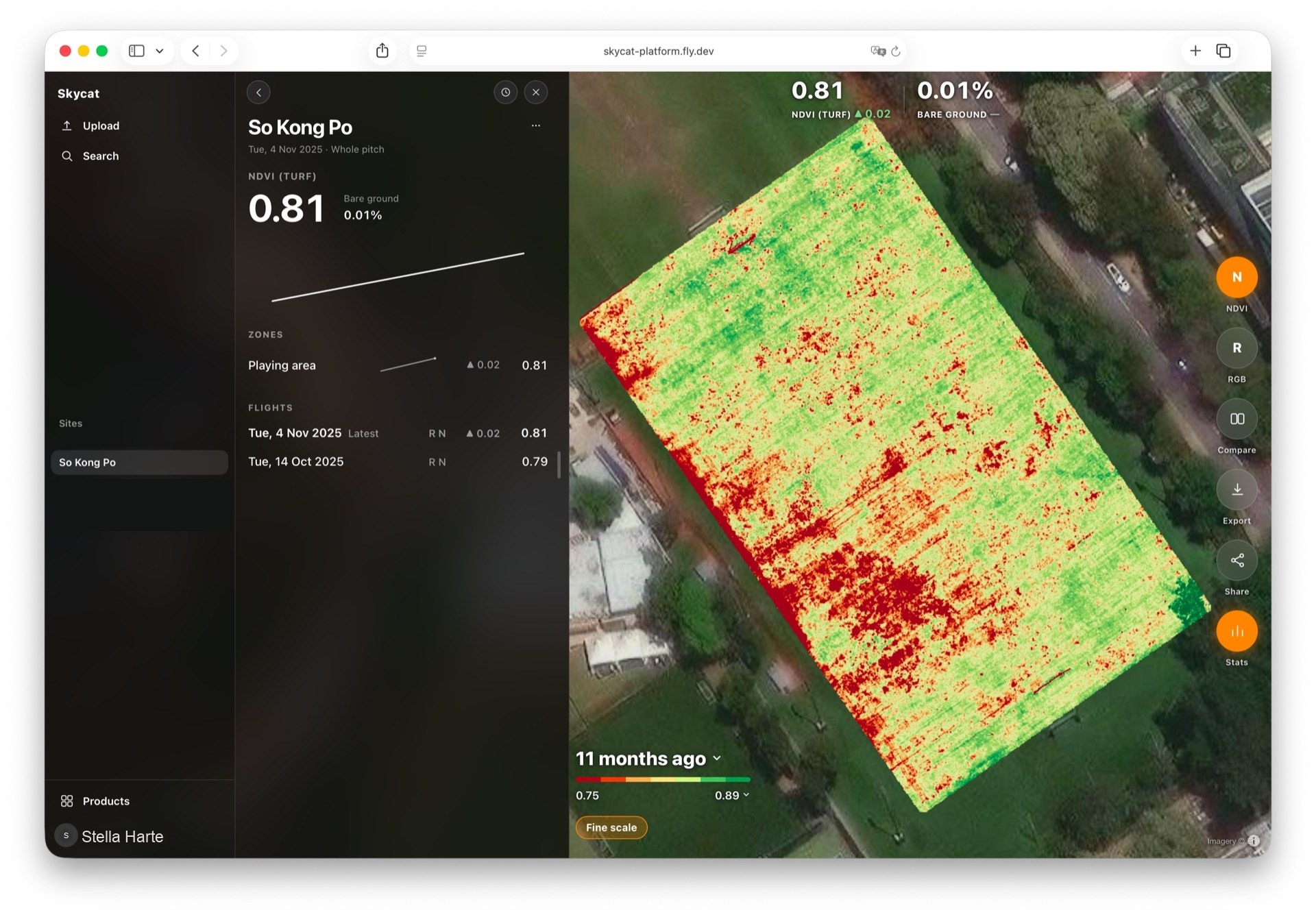
Skycat Sensing
Skycat Sensing
Condition surveys on the same map, flight after flight.
Turf and racecourse monitoring with Skycat Sensing
The same place over time
The same place is kept, flight after flight. You can see this visit against the ones that came before it.
Readings on one map
Vegetation, heat, and other readings sit on the same map. You switch between them instead of opening a separate report for each.
See what is changing
See what has been changing, not only what a single visit showed. A problem that has been building is easier to spot than a one-off snapshot.
Zone by zone
Look at the part that changed, not one number for the whole place. A weak corner does not disappear into an average.
Who can open it
The work stays with the people it belongs to. You can see who had access, and the record stays with the organisation.
A page for the visit
When you need to hand a visit on, there is a short page for that flight. The map and the history stay behind it, ready for the next look.
Supported files
The map is drawn from a GeoTIFF for vegetation, colour, thermal, and water stress. Zones are GeoJSON. The numbers for each zone are a CSV. If you fly it yourself, you can drop JPEG, PNG, DNG, or TIFF. Those photos stay off the map until they have been processed.
Pricing
Sensing Enterprise Solution
Skycat flies each survey. Your organisation opens the result.
- ✓Skycat flies and processes each survey
- ✓Zone by zone, flight over flight
- ✓Vegetation, thermal, and other multispectral indices on the same map
- ✓Map layers are GeoTIFF. Zones are GeoJSON. Zone numbers are CSV
- ✓Your own photos: JPEG, PNG, DNG, or TIFF, shown after processing
- ✓A trend across flights, not a one-off report
- ✓Your organisation only, with a record of access