
Three products
Photo, Spatial, and Sensing. Each one is separate. You can use one, or more than one.
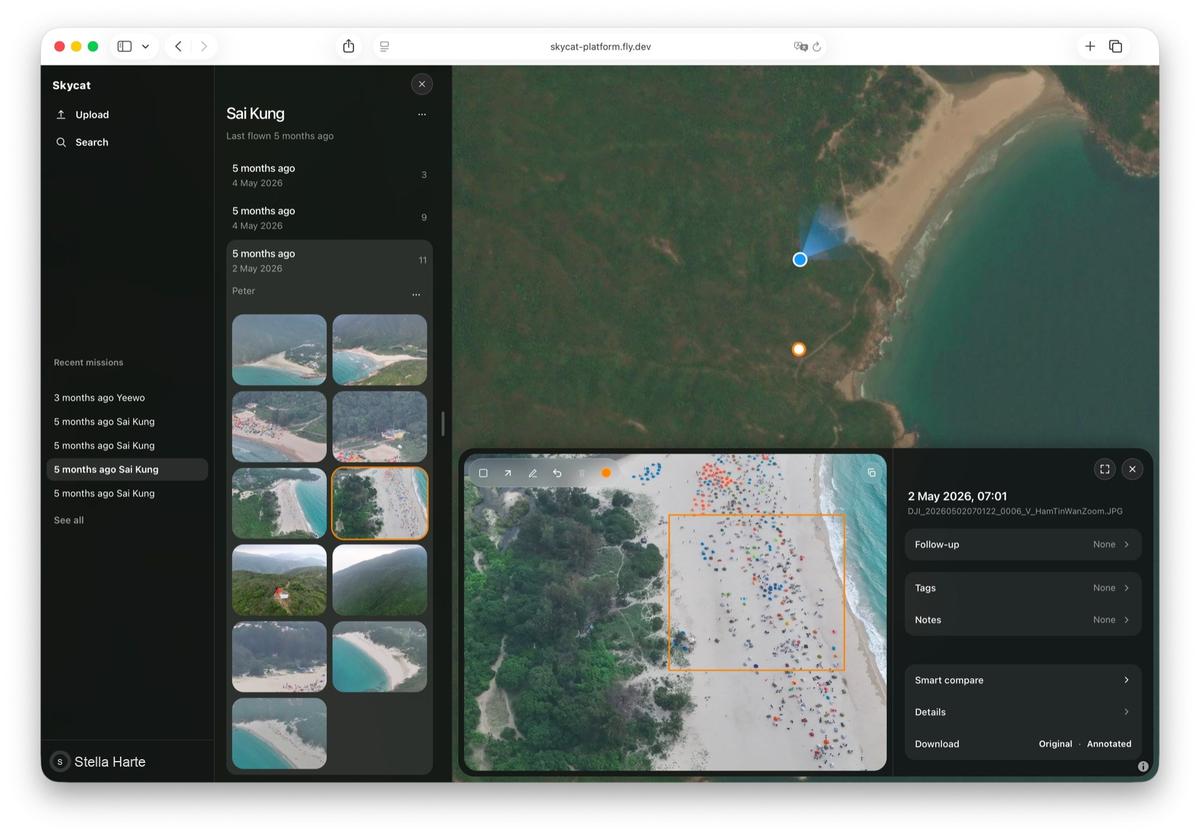
Skycat Photo
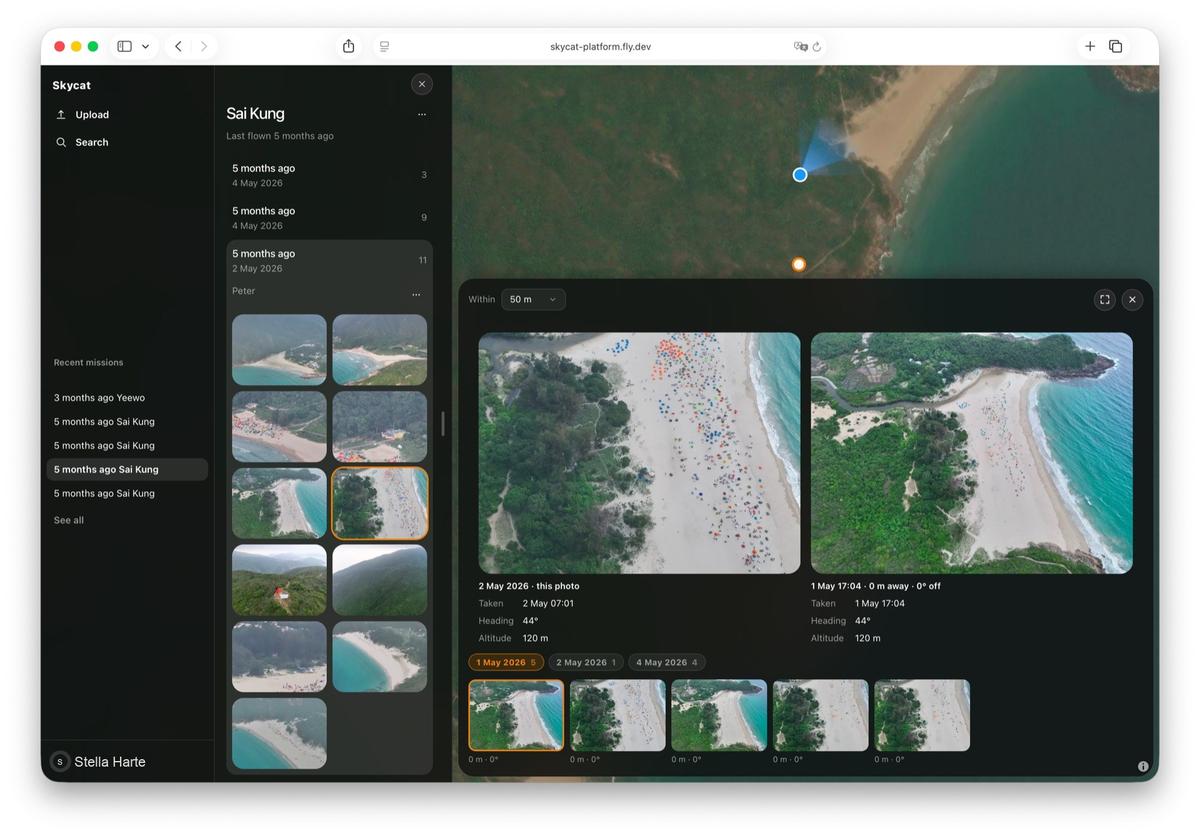
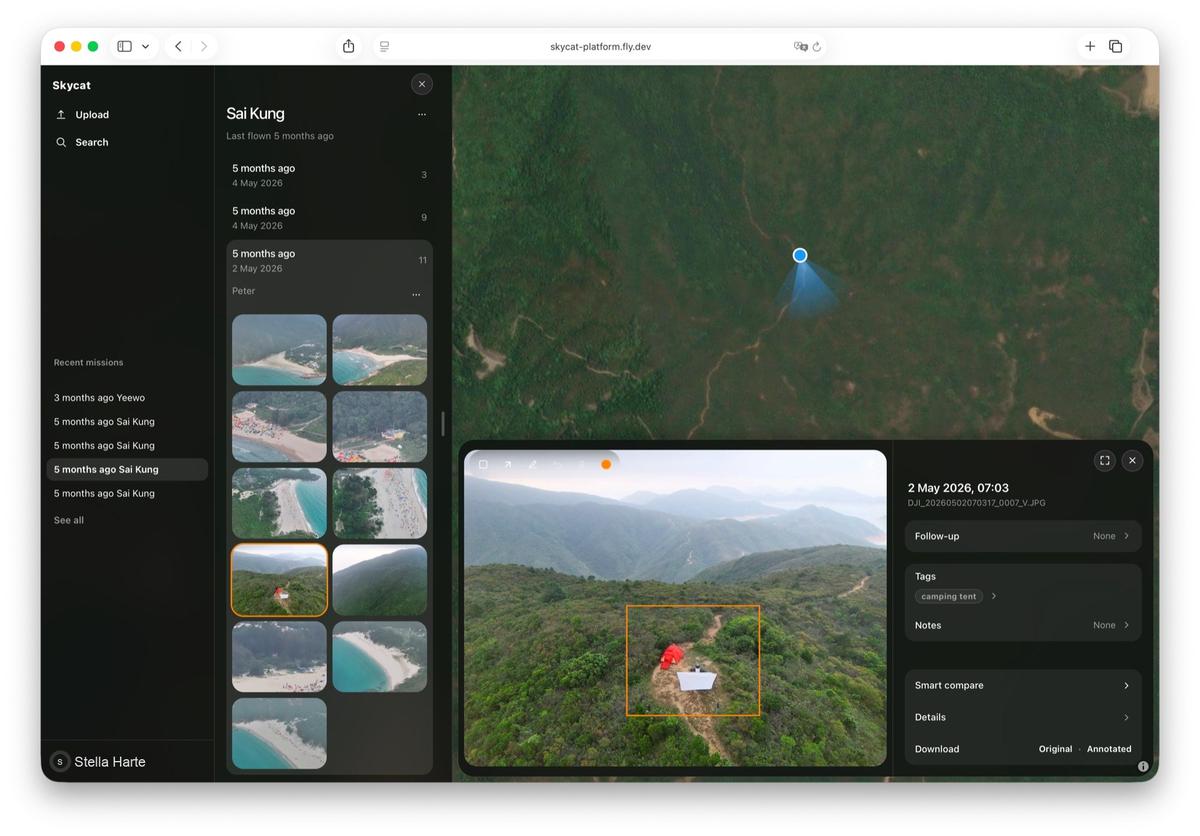
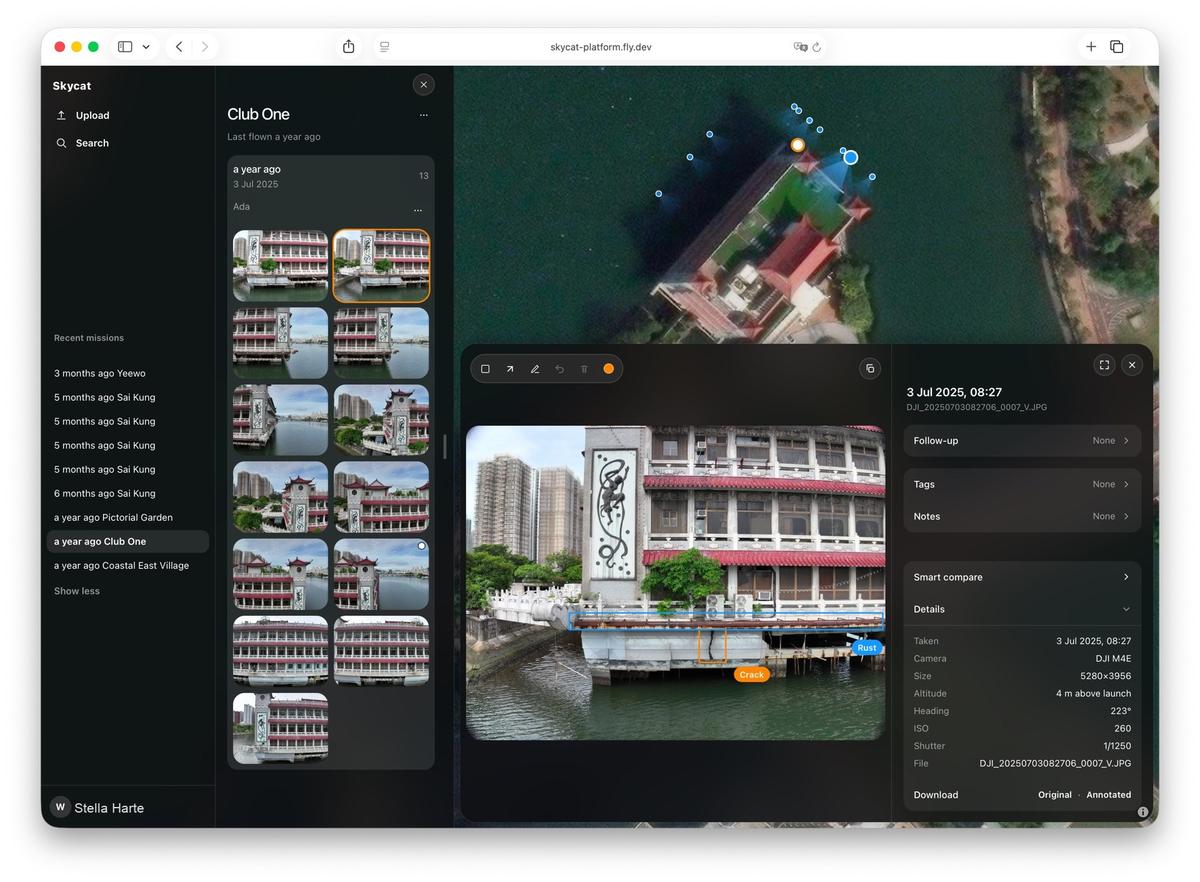
Skycat Photo
Find a picture by the place it was taken, not by the folder it landed in.
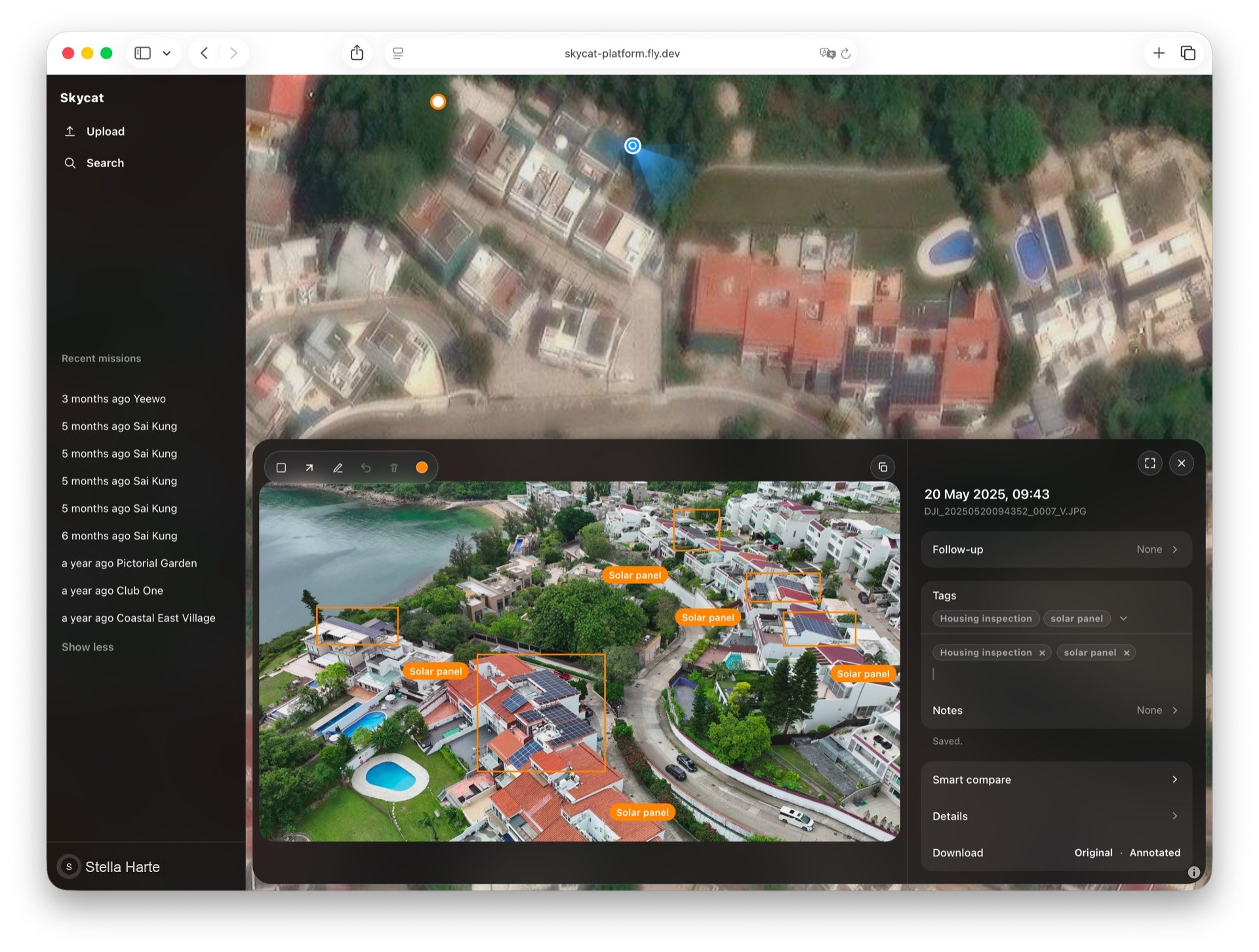
Roof and facade inspection with Skycat Photo
Photos on a map
A photo lands where it was taken, not in a folder you have to search. You open the place and the pictures are already there.
Find by date or place
Find a picture by the day it was taken, or by the place it belongs to. You do not have to remember which folder it landed in.
Compare two dates
Put the same spot side by side and see what changed. The earlier visit stays, so you are not guessing from memory.
Share with a link
Send a link instead of a file. The other person opens the photos in the browser, and they do not need an account.
Mark a photo
Flag an area on a photo so the next person knows what to follow up. The note stays with the picture, not in a separate email.
Stay with the place
Photos and follow-ups stay with the place they belong to. The next visit adds to the same record, instead of starting a new pile of files.
Supported files
Photos: JPEG, PNG, TIFF, HEIC, and WebP. Video: MP4, MOV, M4V, AVI, and MKV. A clip can bring an SRT file with it. Files with GPS are pinned on the map. Files without GPS stay in the archive.