
Skycat Photo
One site’s photos, opened by the right people
Client, insurer, and contractor do not all need the same set. Each gets a link for what they should see — no account required for them.
Skycat Photo
The usual problem
Progress and defect photos travel as shared folders or email threads. The wrong person sees too much, or the right person cannot find the current set.
What you get
Photos stay with the site
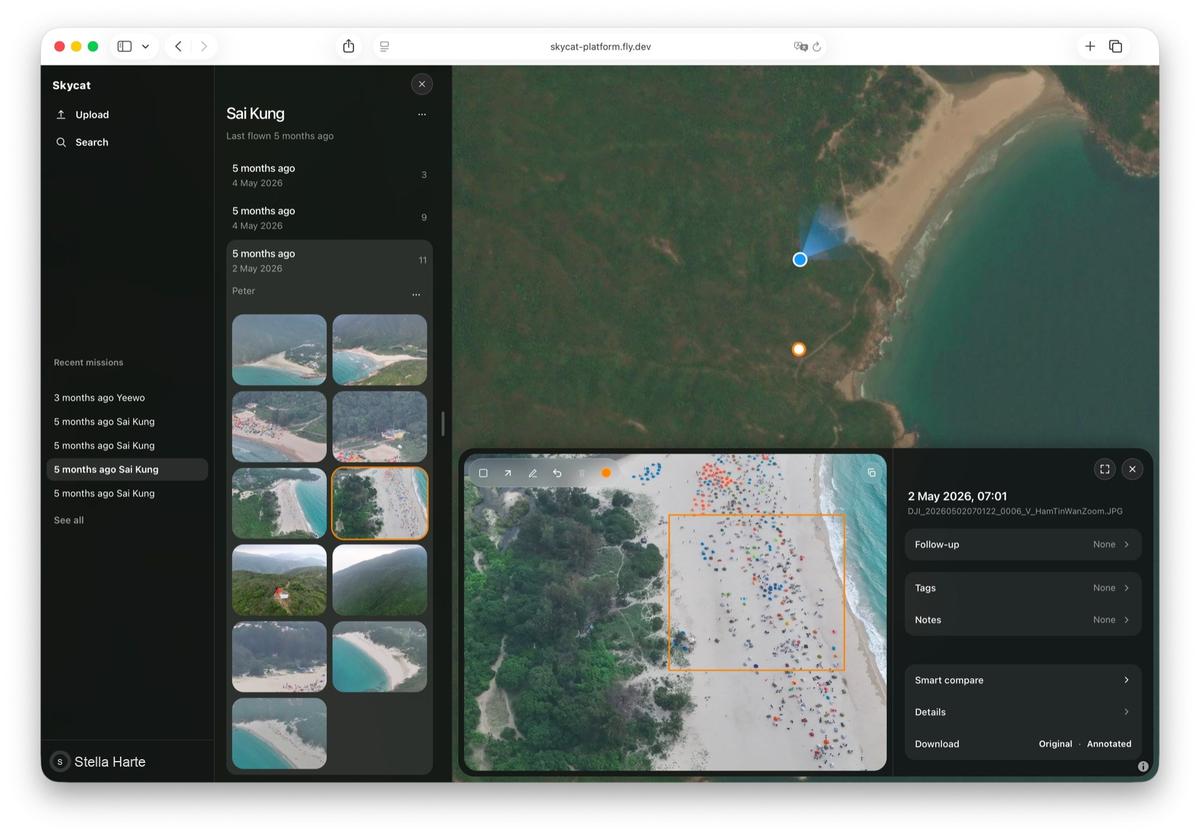
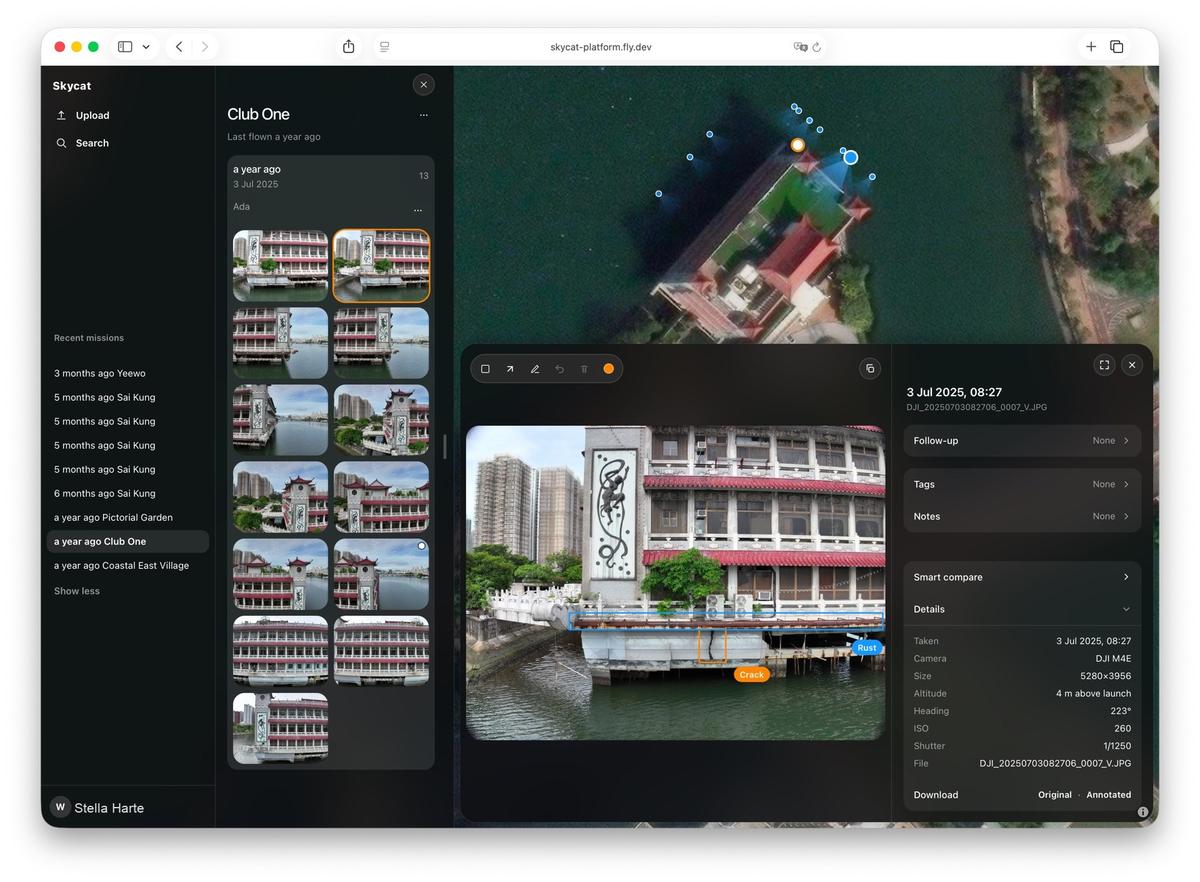
A photo lands where it was taken. You open the site and the pictures are already there — not in a thread of attachments.
Scoped links per party
Each party opens what they should see. They do not need an account, and you can turn a link off if that changes.
Flag what needs follow-up
Mark an area on a photo so the next person knows what to check. The note stays with the picture.
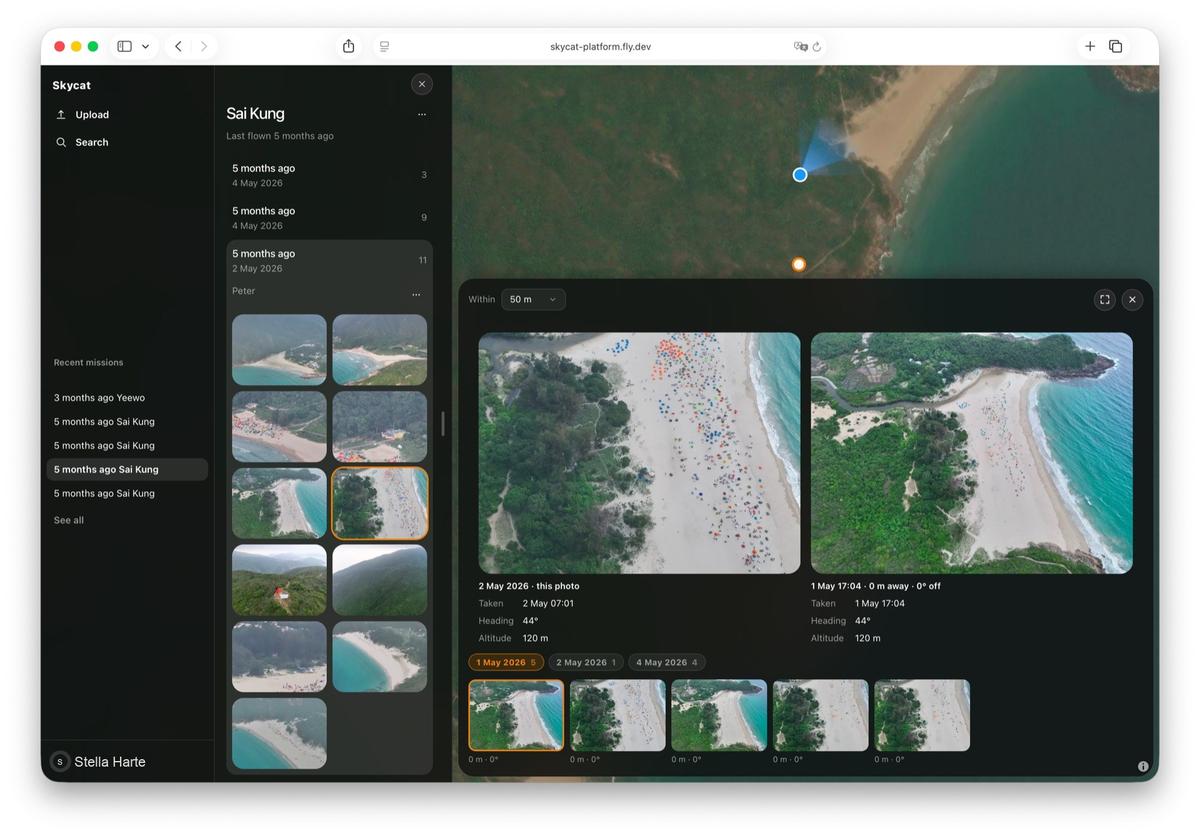
Compare visits as the site moves on
Put the same spot side by side when you need to see what changed between visits.
Who it is for
Main contractors, developers, insurers, and site managers who need controlled sharing of the same site’s photos.
Questions
Ask about photos for your site
You reach the people who build the software.